جدول المحتويات
Archiving
The archiving program is one of the important additions to the creative solutions program, and it is concerned with storing and describing files within the database, managing them within folders, specifying their types and details, and then inquiring about them.
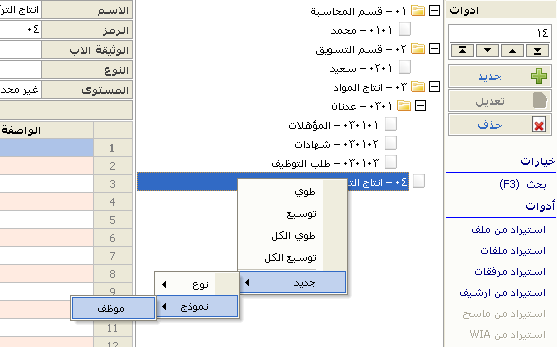
Also, in archiving, you can move these files between several users or departments (or a group of users) as a kind of mailing correspondence, and within a deliberate pre-set plan (path) so that you can track and monitor it, and you can agree or disagree with this movement.
If you find your files scattered on your device, lost, you need to search for them and describe them, or perhaps you need to document your accounting or business operations that come within the program, here you have to upload these files and store them in the database so that you can retrieve them whenever you want, amend them, and repeat Stored.
Upload files to the program, so you have another copy of them in the database other than the one that was on your device, meaning you can delete the file on the device and you can retrieve it later from the database.
Also, the document can be pulled from the scanner directly to the database and analyzed to extract text from it for the process of indexing and searching for it.
It is possible to describe the file, fill in its descriptions and characteristics and put it in its correct place instead of leaving it scattered anywhere, and specify the type and its characteristics to facilitate reference to it later through reports or searches for the document.
Advantages of archiving
- Uploading files to the database is not just a linking process
- Adding document description fields by the user of all kinds (descriptors)
- Archiving files (documents) for accounts, materials and bills in the rest of the program sections
- Ease of use after job description for the first time
- Linking documents in a "business plan" that is circulated among users under conditions and approvals, and within pre-defined paths
- Historical storage It is possible to restore the shape of the document that it was on a certain date before it was modified
- Multiple users and authorities
- Use a powerful database engine that matches international engines and is free to license
- Access across the network
- Pull documents from scanners directly
- Import a batch of documents at once from a folder on the hard disk
After uploading the documents, you have another copy in the database other than the one that was on your computer, meaning you can delete the file on the device and you can retrieve it later from the database, but it is better to leave the original files in a safe place as a kind of care to have more than one copy, Especially on different hard.
The user’s task comes after uploading the file (archiving it) by describing the file, that is, filling in its descriptors and placing it in its correct place instead of leaving it scattered anywhere, and determining the type and its characteristics are easy to refer to later through reports or searches for the document.
Below we will get to know how the program works in simple steps.
You can start on The Beginning
Or, you can follow along with examples