جدول المحتويات
Manage Document Types
To choose the type of document for which to create a workflow plan, it is possible to create a workflow plan
Sales and purchase orders, sales and purchases invoices and returns, payment and receipt notices, vouchers or documents

Access to manage document types through
Workflow - Cards - Manage Document Types

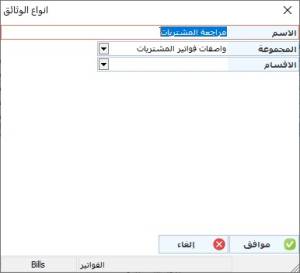
And to add a document type, we click on New and choose the type of document that you want to create a workflow plan for by clicking on it with the left mouse button, after that we record the name of the document, and in the group, the set of descriptors that was previously created is determined from the workflow descriptors group card, and the department is specified This document belongs to him in case of using the department and then we press OK