جدول المحتويات
Materials Classes
The purpose of using the materials classes: Some customers may wish to obtain a continuous inventory of materials or to know the sales of each department with separate accounting entries, or to separate the taxed items from the items not included in the tax for ease of calculation and knowledge of the amount of tax due on it for payment.
Note that the classes can be ignored if you want to use the accounts with the features of the invoices.
For ease of access to information, we will use examples of accounts …
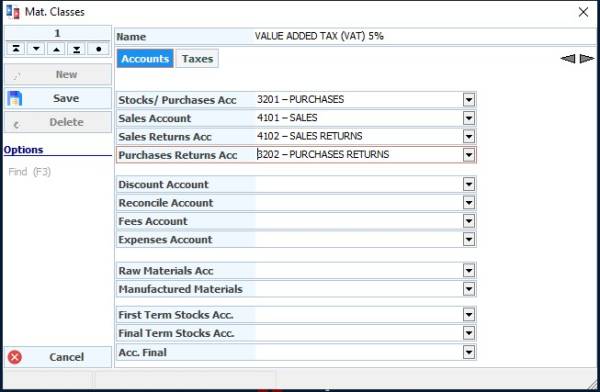
Accounts tab
We put the class name (5% VAT)
Inventory / Purchases Account:(purchases value-added 5%)
Sales Account: (Sales value-added 5%)
Sales Returns Account: (5% value-added sales returns)
Purchases Returns Account: (5% value-added purchases returns)
Taxes tab
Through it, the taxes that we have defined in the program are determined to be determined for the classes
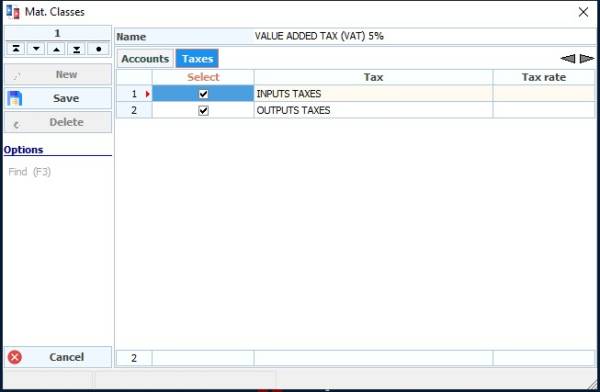
Thus, we continue to fill in the rest of the accounts as required and according to the goal for which we created the class, after which we press store and so we have completed the process of adding the class.
This is the task of the material classes card, which we find in the materials cards and most accounting reports and inventory within the program.