
en:help:accgroupscard
Table of Contents
Account Groups
The main benefit of account groups is grouping specific accounts into a special group to access them by searching or reporting, (the account can be placed in more than one group).
The account groups are accessed from the “Accounting - Cards - Account Groups” menu.
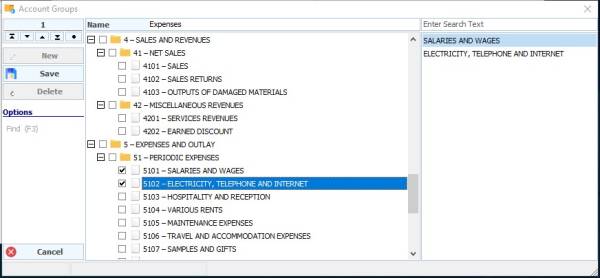
To add a new group, press the New button and then write the group name, then choose the accounts that will be affiliated with this group (the selected accounts will appear on the left side of the account groups screen), then click on Save
en/help/accgroupscard.txt · Last modified: 2021/04/23 03:10
