
en:help:agntexttemplatesform
Table of Contents
Message Form
SMS compose window
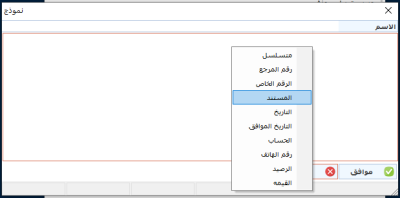
Click on the right mouse button and choose the information you want to send in the text message. The code will appear upon input. You can specify a text with automatic additions, for example. Text message: You have an appointment with a date "10-10-2020", write as follows:
You have a date on% Date%
As the date will be inserted automatically according to the date of the appointment in case the form is for the appointment program.
en/help/agntexttemplatesform.txt · Last modified: 2021/04/23 03:09
