Table of Contents
Information Screen
To show or hide the information screen, we go to the View - Information menu
The information screen is used to show quick information about the data that we point to by the mouse or keyboard according to the tab tof which screen belongs.
As an example, we will explain the information screen by using the sales invoice:
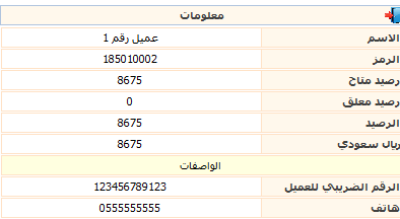
When searching for a customer's name and identifying it in the invoice, the information for this account like balance , descriptors information…. will appears on the information screen, according to the available authirty for each user.
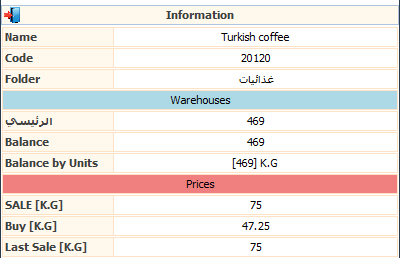
When moving to materials tapel to add items to the invoice, detailed information about the material as its descriptors , available quantities in warehouses will appears on the information screen, according to the available authirty for each user.