Table of Contents
Quotation Form
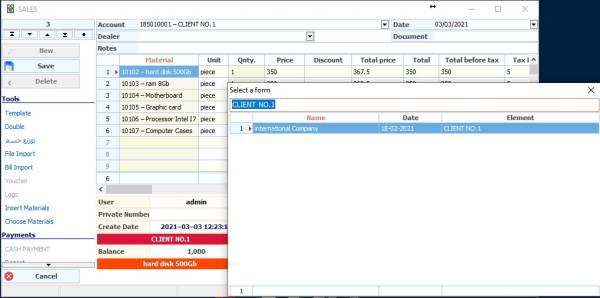
A Quotation form is used to create quotes that you can print and re-insert into an invoice on demand.
To access a quotation form from the list General - Templetes - Quotation
To create a new template we go to the New button
The following window appears as in the picture:
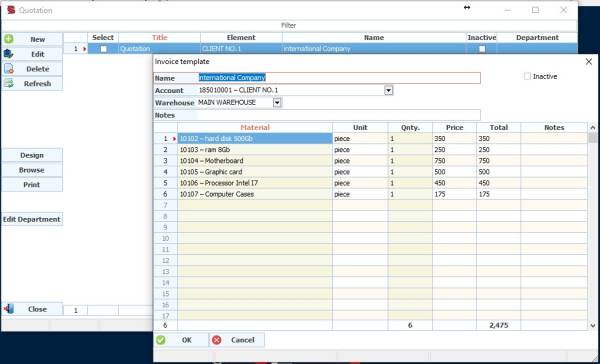
Note: If some fields didn't appear to you, such as the discount, for example, use right click by the mouse and choose the properties then you can show or hide the columns.
In the Name field: We write the name of the templete.
Account name: the name of the customer if it already exists, or use the account: cash customer.
Leave the warehouse field blank if you want to use Invoice warehouse when selling
Notes field: Insert customer name or notes to display the price.
Inactive option: to not display this templete in invoices.
From the invoice table below, add the required materials to templete, with the ability to amend prices and quantities or discount as desired.