
en:help:managetoolbars
Table of Contents
Toolbars
The purpose of using toolbars is to create quick shortcuts on the program interface for quick access to documents or reports.
To create a toolbar we go to the menu File - Tools - Toolbars
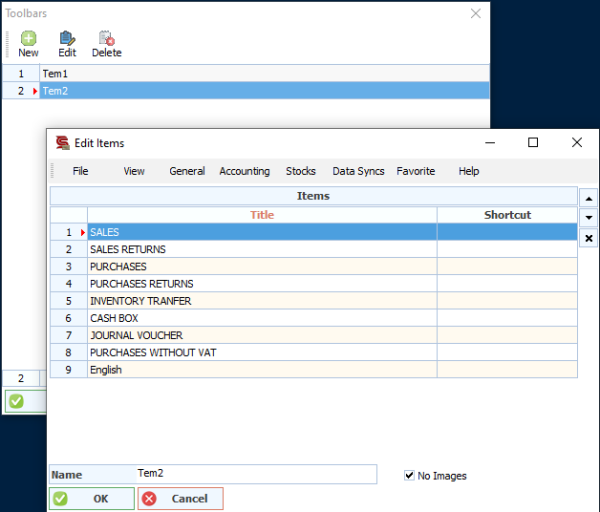
The option "no image" to hide the icon from toolbar
Click on the "New" button, then a new screen will apper, with the program's menus at the top and a name field at the bottom to enter the toolbar name.
We start by writing the name of the toolbar below.
Then we choose from the menu what we need to add.
After completion, we press the OK button to store the toolbar on the program interface, and we drag the bar to the desired location to take its place automatically

en/help/managetoolbars.txt · Last modified: 2021/04/23 03:10
