Table of Contents
Material Directory
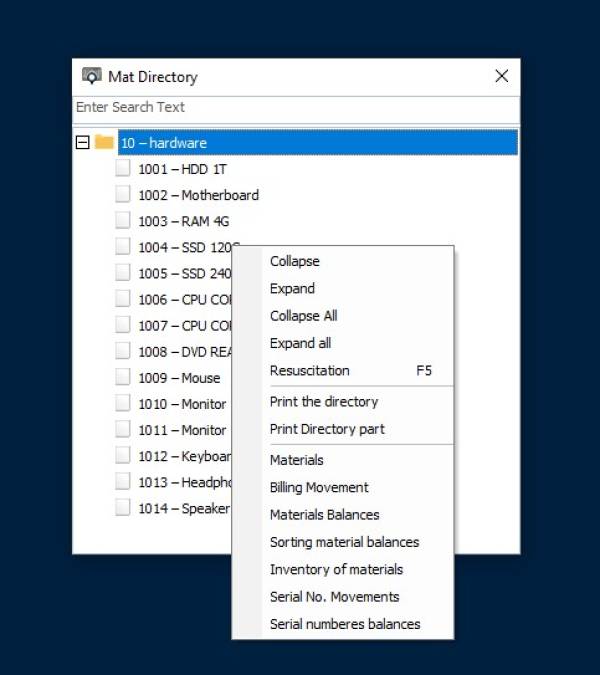
To display the material tree that has been added from a material card (displaying the folder and items inside this folder)
To access the materials directory through
Stock - Cards - Material Directory

It can be distinguished as shown in the picture, a color that is present next to each material, which is:
Green : It means that there is a quantity of this substance inside the warehouse
Silver : It means that the quantity of this material in the warehouse is zero
Red : That is, this material has a negative quantity (this material was sold and the quantity was greater than the actual balance)
White : That is, there is no movement on this material
Also, inventory reports can be reviewed by selecting any material, right-clicking, and selecting one of the reports within the selection list