
en:help:selectmunclassform
Table of Contents
SELECT DOCUMENT
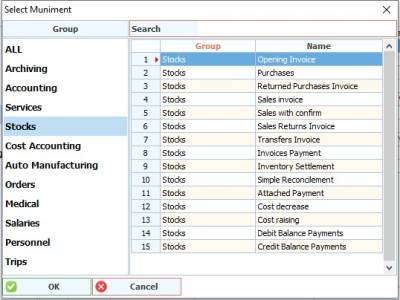
This screen appears after pressing the new button on the Add Documents screen
You can use the search box to access the required document template, or click on the required section to view the templates for this section. When you click on the Accounting tab, for example, you will see templates for documents in accounting that can be added according to the license you have.
Select the required document and press OK to a new screen appear, choose the appropriate name for the new document and put the required settings for the document you chose.
en/help/selectmunclassform.txt · Last modified: 2021/04/27 09:41
